
How to Close Flipkart Pay Later Account Permanently?
Flipkart Pay Later is a Buy Now Pay Later (BNPL) service offered by Flipkart in partnership with IDFC First Bank. If you are not using it anymore, worried about your CIBIL score, or want to close unnecessary credit accounts, this guide explains how to close Flipkart Pay Later account permanently using the app, email, call support, and IDFC Bank escalation method.
Most articles stop at basic steps.
This one goes further and shows you what actually works, including the exact words to say, email templates, and bank-level escalation so your account is properly closed in CIBIL.
- Things to Check Before Closing Flipkart Pay Later
Before requesting closure, make sure all of the following are completed:
All outstanding dues are fully paid
No pending or returned orders using Pay Later
Flipkart app is updated to the latest version
KYC is completed on your account
If any dues are pending, Flipkart will not process the closure request.
How to Close Flipkart Pay Later Account Permanently (App Method)
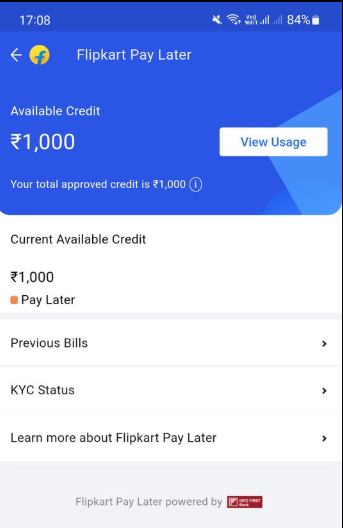
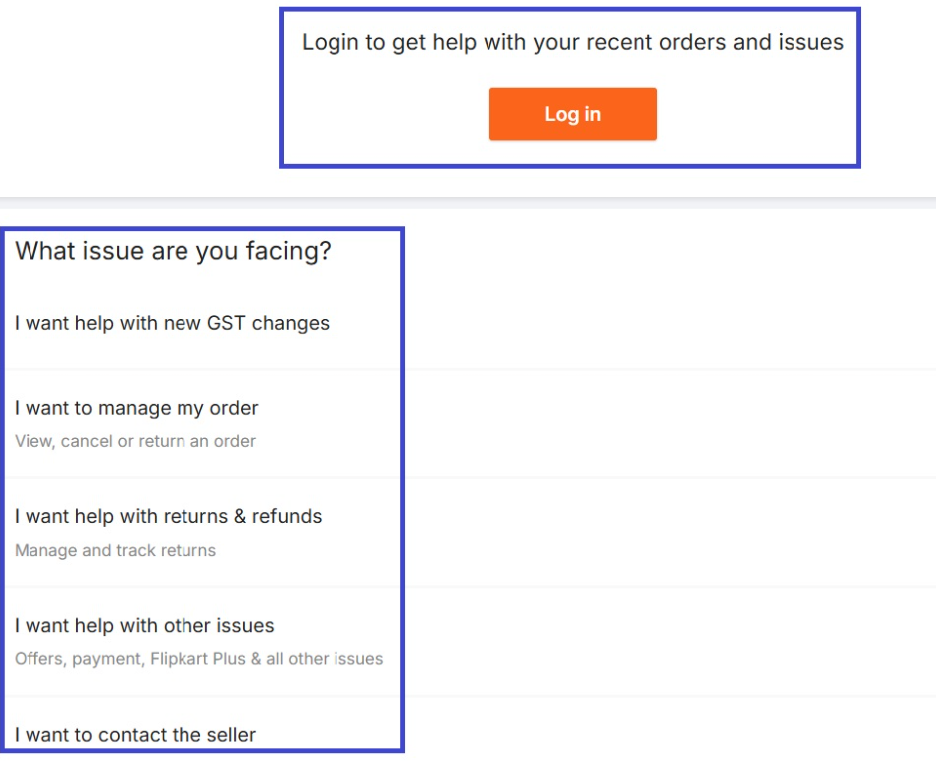
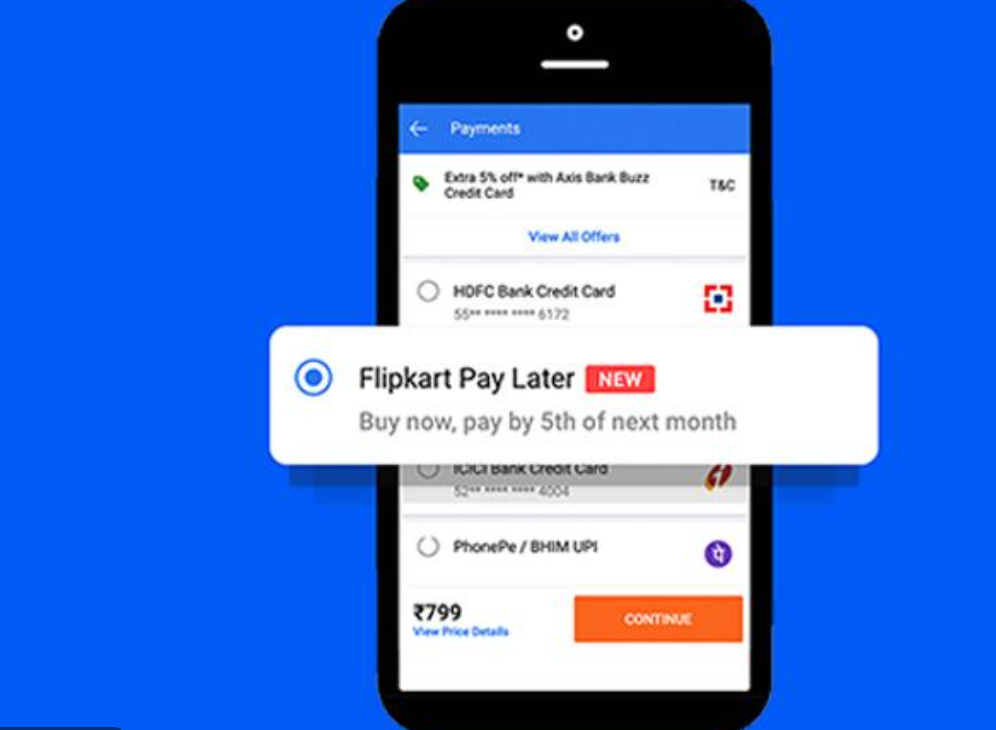
Follow these steps carefully:
Step 1: Open the Flipkart App
Log in using your registered mobile number or email.
Step 2: Go to Help Centre
Tap on Account → Help Centre.
Step 3: Navigate to Pay Later Support
Select Payments
Choose Flipkart Pay Later
Scroll down and tap Others
Again, select Others at the bottom
This option is hidden. Many users miss it.
Step 4: Choose Chat or Callback
Request Chat or Callback support.
Step 5: Ask for Permanent Closure
Say this clearly:
I want to permanently close my Flipkart Pay Later account linked with IDFC First Bank.
All dues are cleared. Please do not pause or deactivate it.
Ask them to raise a closure request ticket.
Exact Call Script (Use These Words Only)
When Flipkart support calls you, say this:
“I want to permanently close my Flipkart Pay Later account.
All dues are cleared. Please proceed with full account closure and share confirmation.
I also need the No Objection Certificate after closure.”
If they say “We can pause it”, reply:
“No, I want permanent closure, not a pause.”
This avoids temporary deactivation.
How to Close Flipkart Pay Later by Email (Backup Method)
If the app option is not visible, use email.
Send from your registered email ID only
To: cs@flipkart.com
Subject: Request for Permanent Closure of Flipkart Pay Later Account
Hello Flipkart Support Team,
I am requesting the permanent closure of my Flipkart Pay Later account.
Registered Mobile Number: XXXXXXXXXX
Registered Email ID: your@email.com
All outstanding dues have been cleared. I no longer wish to use Flipkart Pay Later.
Please process the permanent closure of my account and confirm once completed.
Also, kindly provide the No Objection Certificate (NOC) after closure.
Thank you.
Regards,
Your Full Name
📌 Email replies can be slow. App + call works faster.
How to Close Flipkart Pay Later by Email (Backup Method)
Flipkart Pay Later works on two systems:
Flipkart (frontend handling)
IDFC First Bank (lender + CIBIL reporting)
If both sides don’t update, your account may:
Look closed in Flipkart
But still show active in CIBIL
This is where most guides fail.
IDFC FIRST BANK METHOD (POWER ESCALATION)
Use this only if:
30–45 days have passed
Flipkart says “closed”
But CIBIL still shows active
Or you did not receive NOC
IDFC First Bank Email
To: customercare@idfcfirstbank.com
CC (optional): nodal.officer@idfcfirstbank.com
Subject: Flipkart Pay Later Account Still Active – Request for Immediate Closure
Dear IDFC First Bank Team,
This email is regarding my Flipkart Pay Later account issued through IDFC First Bank.
I have already requested permanent closure through Flipkart support and cleared all outstanding dues.
However, my Flipkart Pay Later account is still showing as active.
Details:
Registered Mobile Number: XXXXXXXXXX
Registered Email ID: your@email.com
Lending Partner: IDFC First Bank
I request you to please coordinate with Flipkart and process the permanent closure of my
Flipkart Pay Later account and update the status correctly in CIBIL.
Please also share the No Objection Certificate (NOC) after closure.
Regards,
Your Full Name
IDFC First Bank Email
If you call IDFC customer care, say:
“I am calling regarding my Flipkart Pay Later account issued by IDFC First Bank.
Closure was requested via Flipkart, but it is still active in CIBIL.
I need escalation and permanent closure confirmation.”
How Long Does Flipkart Pay Later Closure Take?
Closure processing: 7–14 working days
CIBIL update: 30–45 days
Final status should show Closed
What Happens After Closing Flipkart Pay Later?
After closure:
Credit limit is removed
Flipkart Pay Later cannot be reused easily
Status shows Closed in CIBIL
NOC may be issued by IDFC First Bank
Closure is irreversible.
Flipkart Pay Later Close Option Not Showing? (Fix)
Common reasons:
Pending dues
Recently used Pay Later
App cache issue
Support timing issue
Fix:
Clear all dues
Update the app
Clear app cache
Try between 10 AM – 6 PM
Use email or IDFC escalation if needed
Common Mistakes to Avoid
Saying “Deactivate” instead of “Permanently close”
Requesting closure with pending dues
Using non-registered email
Not asking for NOC
Assuming pause = closure
Frequently Asked Questions (FAQ)
Can I close Flipkart Pay Later permanently?
Yes. Flipkart Pay Later can be closed permanently, but only after all outstanding dues are cleared and a closure request is raised through Flipkart support or escalated to IDFC First Bank if required.
How long does it take to close Flipkart Pay Later?
Usually 7–14 working days after the closure request is accepted.
The update in your CIBIL credit report may take 30–45 days.
Is Flipkart Pay Later closed automatically if I stop using it?
No. If you stop using it, the account remains active in the background and may still appear in your CIBIL report. You must request permanent closure.
Can I close Flipkart Pay Later without paying dues?
No. Even ₹1 pending will block the closure. All dues must be cleared before any closure request is processed.
Will closing Flipkart Pay Later reduce my CIBIL score?
No. Closing the account does not reduce your CIBIL score if there are no missed payments. In fact, a properly closed account is better than an unused active credit line.
Flipkart Pay Later shows closed in app but active in CIBIL. Why?
This happens because:
Flipkart side is updated
Bank side (IDFC First Bank) has not updated CIBIL yet
In such cases, you must wait 30–45 days or escalate to IDFC First Bank.
Can I close Flipkart Pay Later from IDFC First Bank app?
For some users, yes. If the loan appears in the IDFC First Bank app or internet banking, and a Close/Foreclose option is available, you can try it.
However, this option is not available for all users.
I don’t see any close option in Flipkart app. What should I do?
Make sure all dues are cleared
Update the Flipkart app
Go to Help Centre → Payments → Flipkart Pay Later → Others → Others
If still not visible, use email or call support.
Conclusion
Flipkart Pay Later is a bank-linked credit account, not just an app feature. To close it permanently, all dues must be cleared and the closure must be completed on both Flipkart and IDFC First Bank sides.
If the app method does not work, email or call support can be used, and in some cases the IDFC Bank app may allow closure. Always confirm the final status in your CIBIL report, which can take up to 30–45 days.
Closing the account properly is the safest option if you no longer plan to use Flipkart Pay Later.